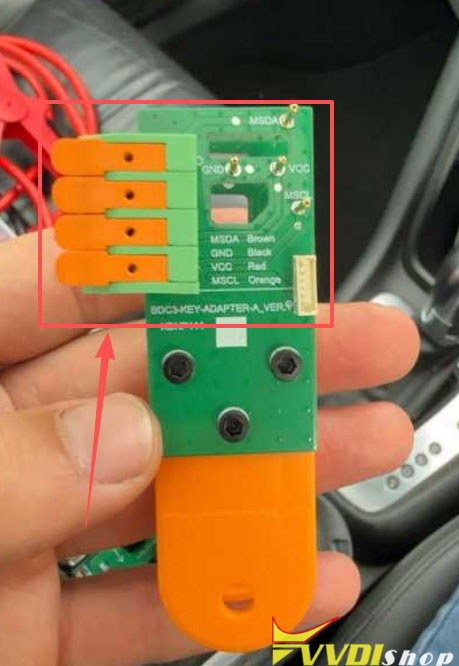


Xhorse has a dedicated BMW G series BDC3 clip adapter for original BMW G series BDC3 key data reading. How to connect Xhorse BMW BDC3 XDNP11 clip adapter with VVDI Key Tool Plus?
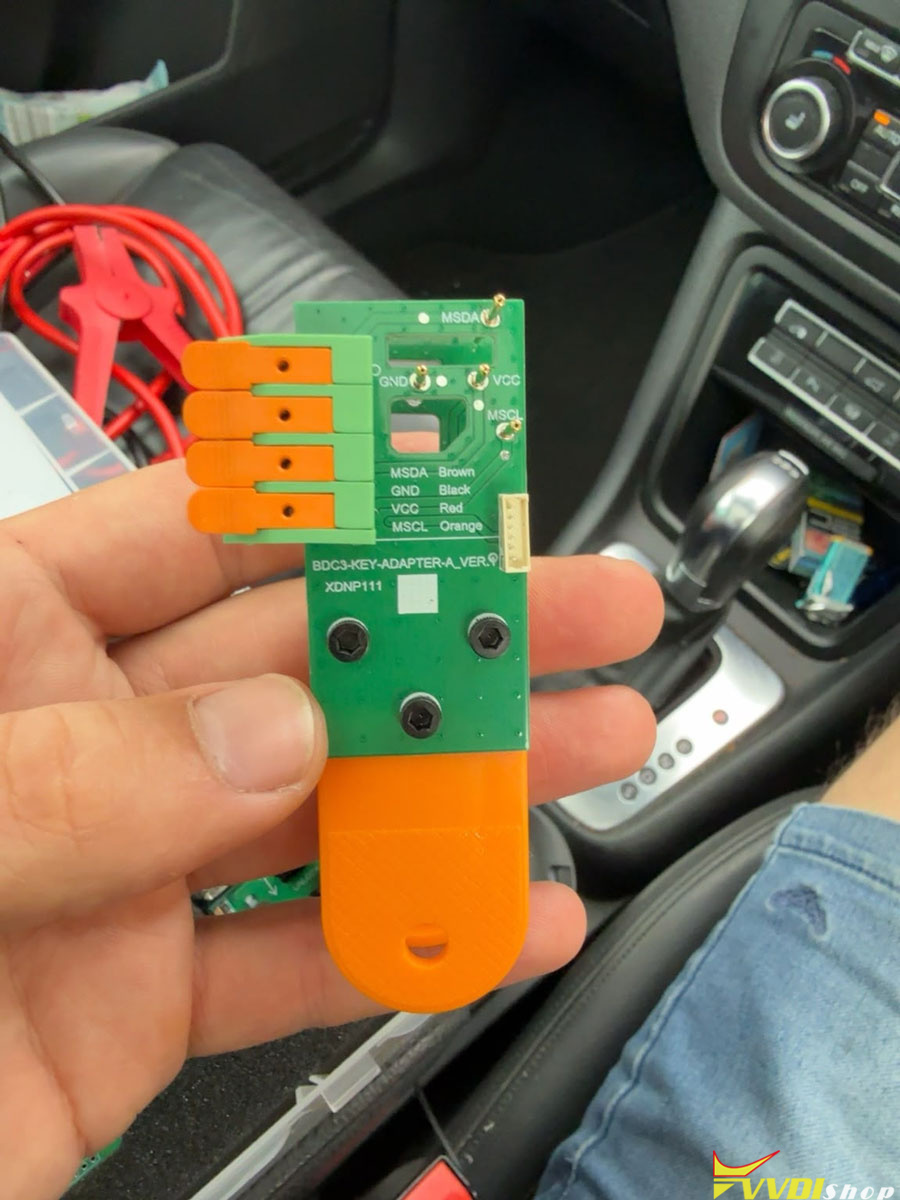
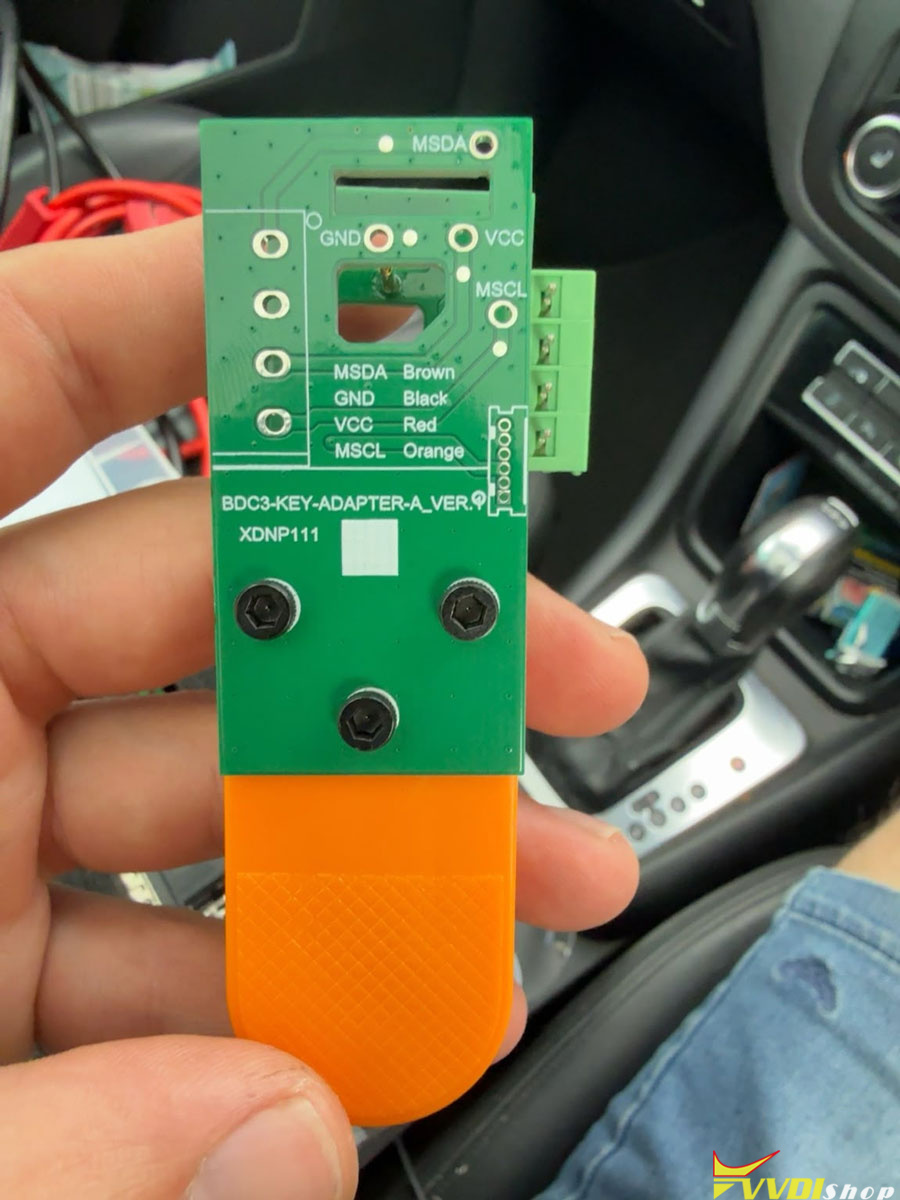
Here is the clue.
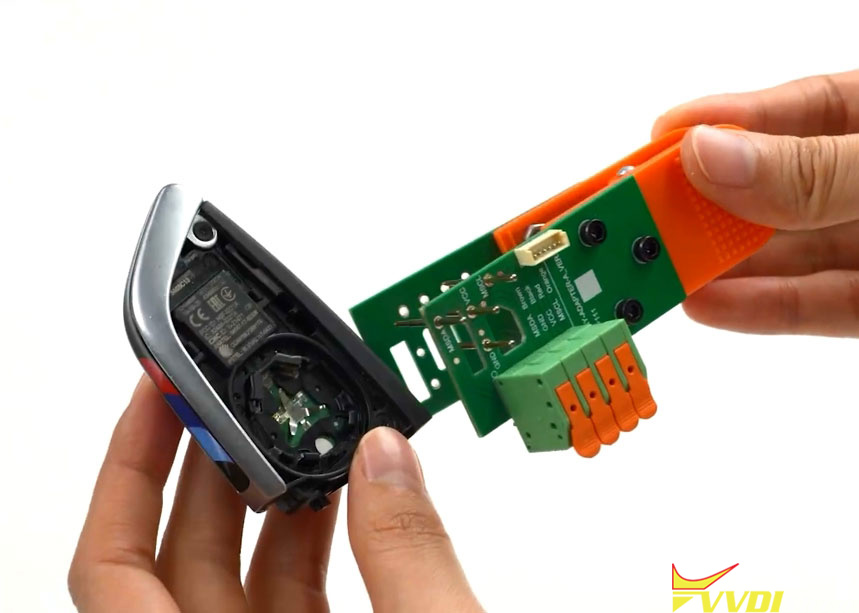
First of all, connect the XDNP11 clip with origianl BDC3 key.
Align the MSDA and MSCL pins on the adapter with the two points on the key PCB.
Clamp it in place and the installation is complete.
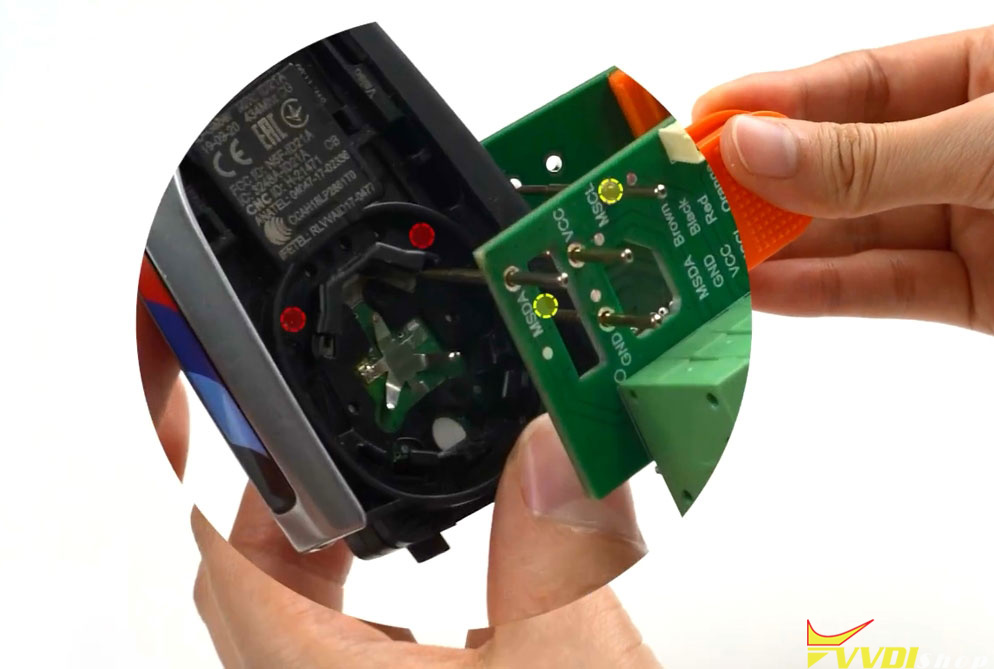
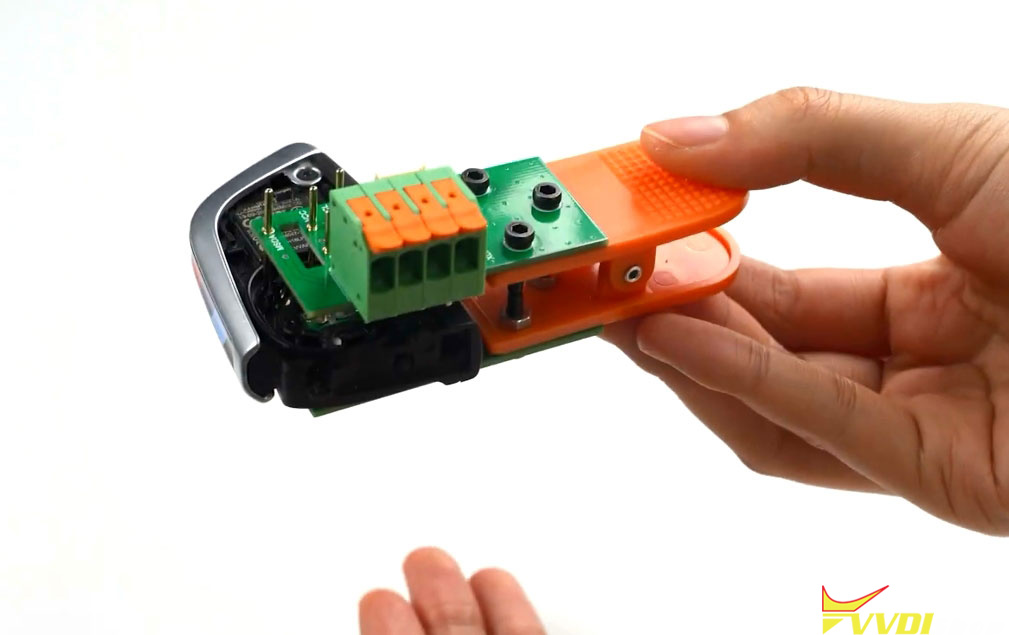
In Xhorse key tool plus, choose BMW BDC3 key reading (adapter) option. Device will show you the connection diagram.
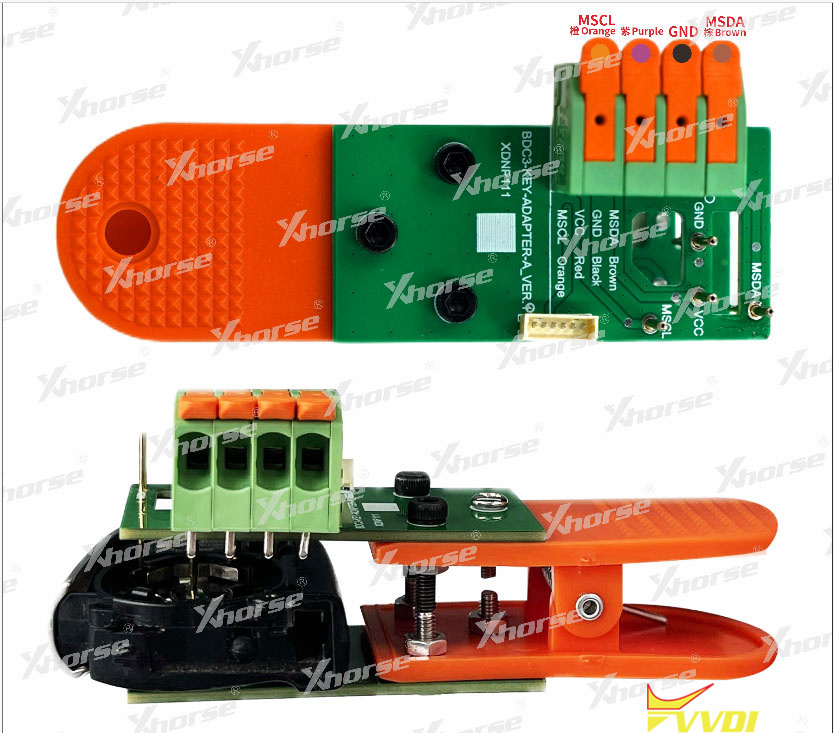
Connect the XDNP11 clip adapter with key tool plus via MCU cable according the pinout.
Orange- MSCL
Purple/Red- VCC
Black- GND
Brown- MSDA
Flip the orange latch up, insert the MCU wiring harness, then press the orange latch down to lock it in place; clip the adapter onto the key.