


Problem:
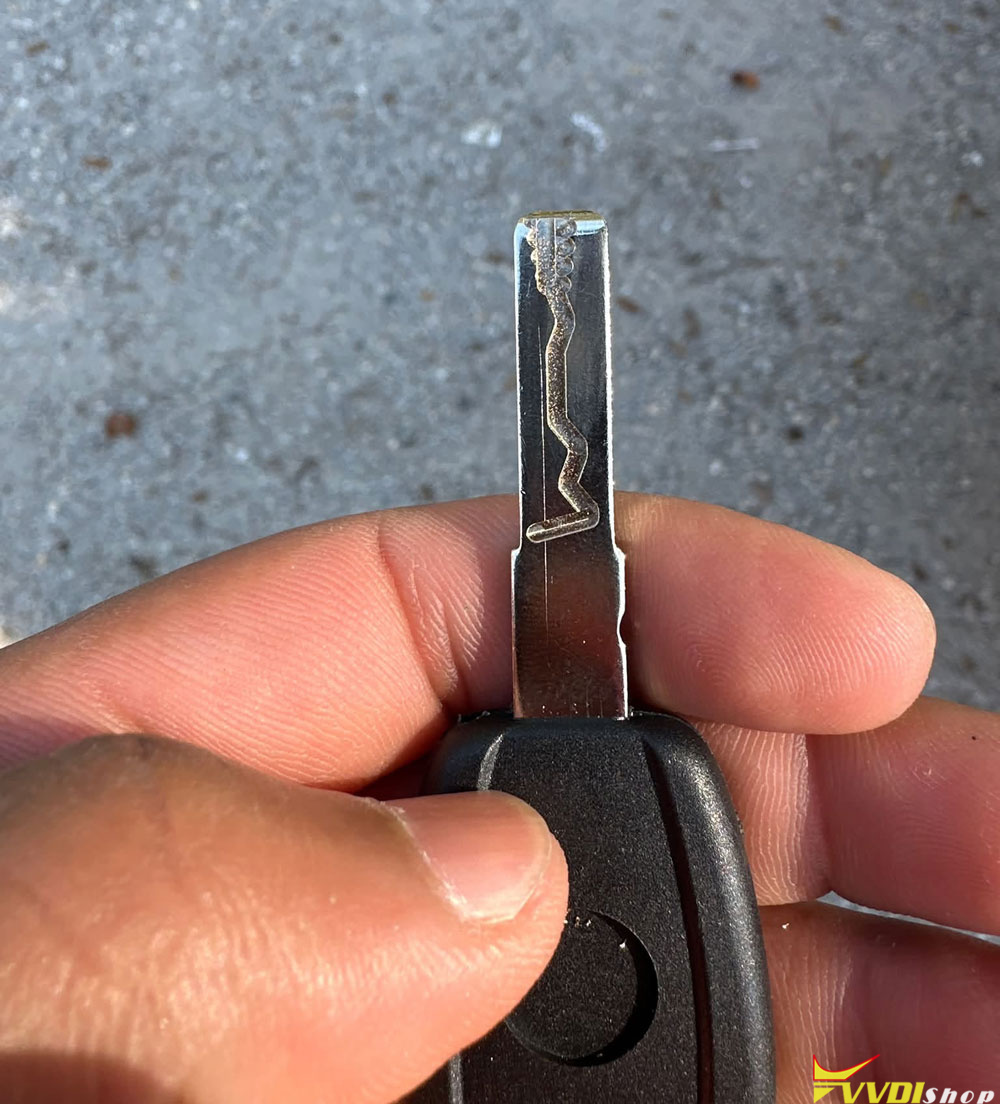
Working on a 2024 Jeep Wrangler with a SIP22 key blade, my Xhorse Dolphin XP005L doesn’t cut key as it should, can anyone help. Ps I stopped the cut halfway through since it had already gone bad. It should stop at the shoulder but takes a crazy angle towards the end.
How to cut SIP22 key blade with Xhorse Dolphin?
1. First check clamp & alignment: SIP22 requires M2-A clamp, SHOULDER ALIGN (not tip align). This is the #1 mistake. If you selected tip alignment, the machine will overrun past the shoulder and make that angled garbage cut you got.
2. Check your database selection carefully: Don’t pick generic Fiat SIP22! The newer 2024 Jeep Wrangler SIP22 blade is a modified profile; many techs run it via key bitting / direct SIP22 universal profile, NOT Fiat database entry. Fiat SIP22 data has different stop boundary.
3. Update your Xhorse app & machine firmware: Old database versions do not have corrected stop limits for this 2024 Jeep SIP22 blank, it will keep cutting past the shoulder.
4. Calibration check* Re-run probe/cutter calibration if you haven’t done it recently. Also confirm you are using the correct 1.5mm cutter for SIP22.
5. Workaround tip: If database still misbehaves, decode your OEM original key physically instead of cutting by vehicle model. Decoding the factory key will pull the correct stop boundary automatically.
Important: That damaged blank is scrap, grab a fresh SIP22 Y37 blade and test again after fixing alignment.
Some user reviews on SIP22 key blade cutting:
1). If you did it by find bitting-decode key, try also Universal Key duplication. And please clean-brush the key ..
2). I use 1.5 blade on everything, and never had an issue. Sometimes when the cutter is cold. It can do stuff like this. I know in a winter, I turn it on and make sure it gets up to room temperature before I use the cutter. I notice if you cut it in the machine’s cold, it cuts bad or either it breaks the blade.