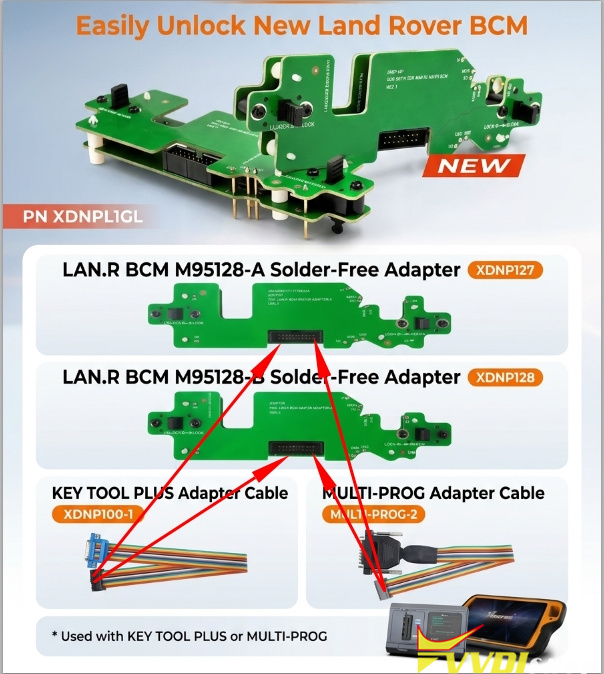



Xhorse released a new XDNPL1GL solder free adapter to read and write new Land rover BCM 95128 data.
How to connect the XDNPL1GL adapter with multi prog or key tool plus?
Run Multi Prog software.
Quick search “95128” and find Land rover BCM 95128.
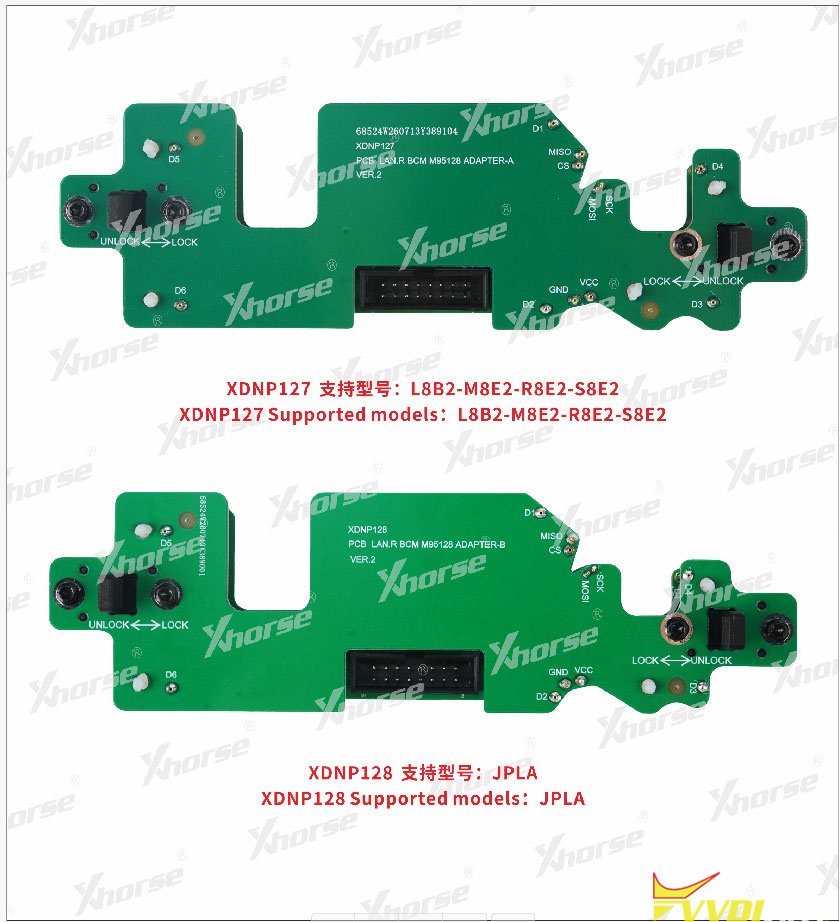
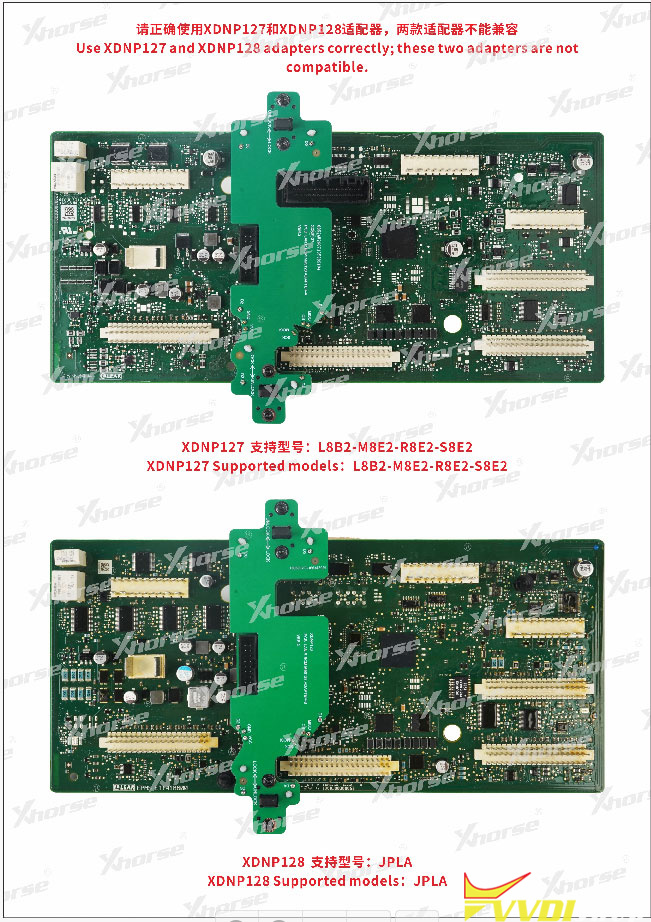
The XDNPL1GL adapter kit includes two main interface board: XDNP127 and XDNP128.
XDNP127: L8B2-M8E2-R8E2-S8E2
XDNP128: JPLA
Two adapters are not compatible. Choose the correct adapter for your BCM.
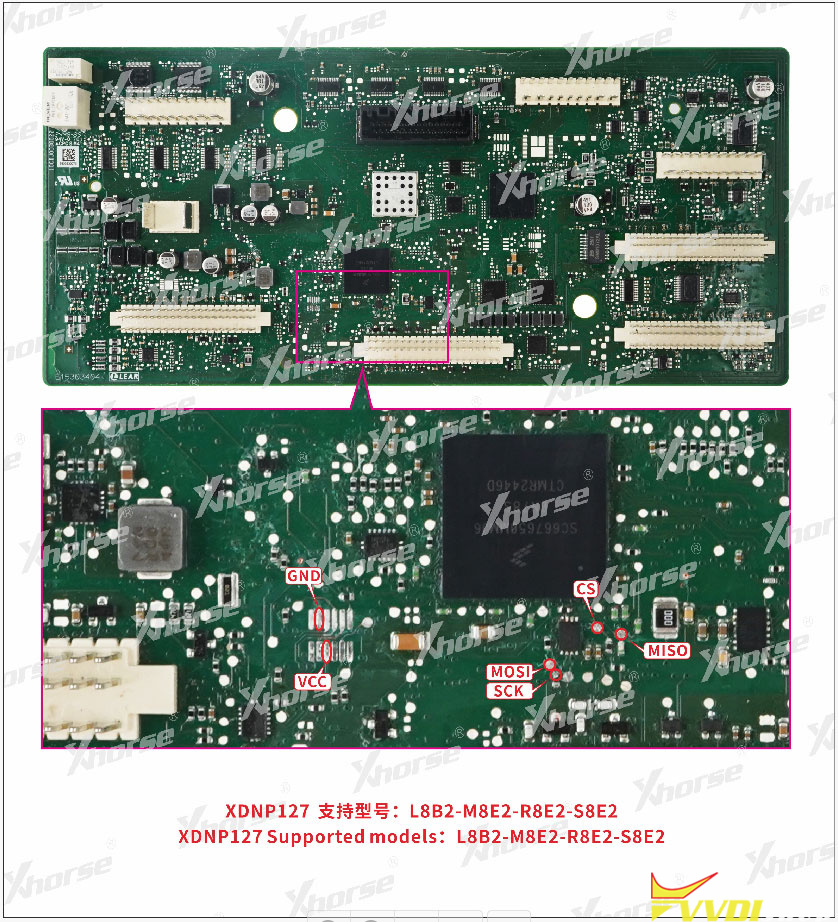
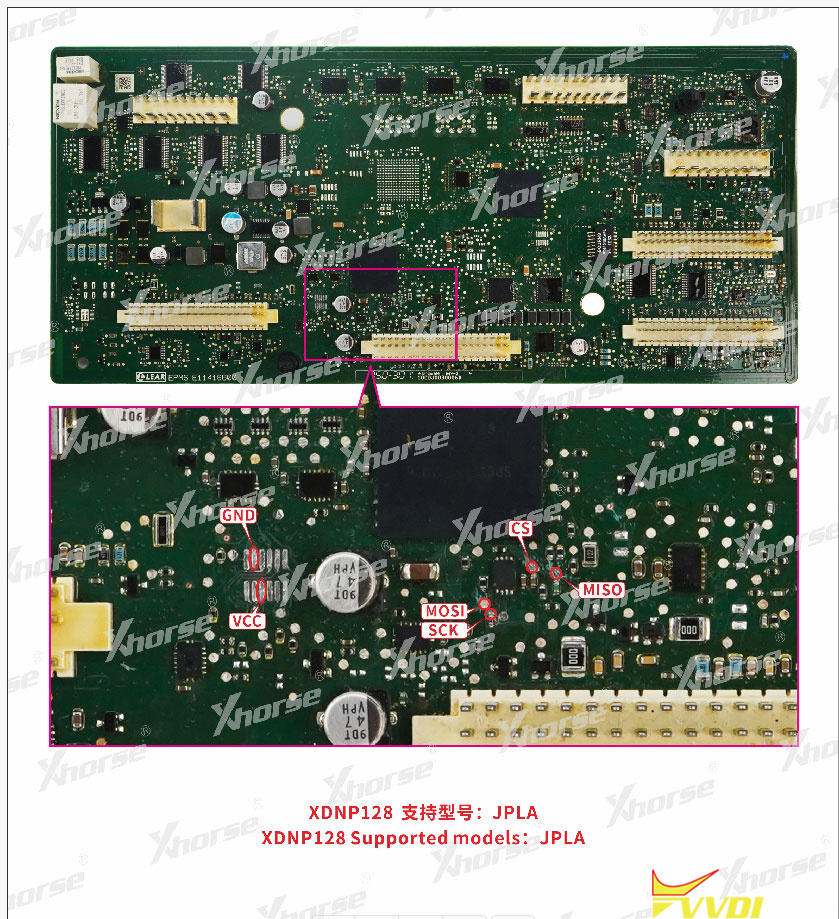
Install the XDNP128/127 adapter with BCM module.
Then connect the XDNP127/128 adapter with Multi Prog/Key Tool Plus using the corresponding adapter cable.