
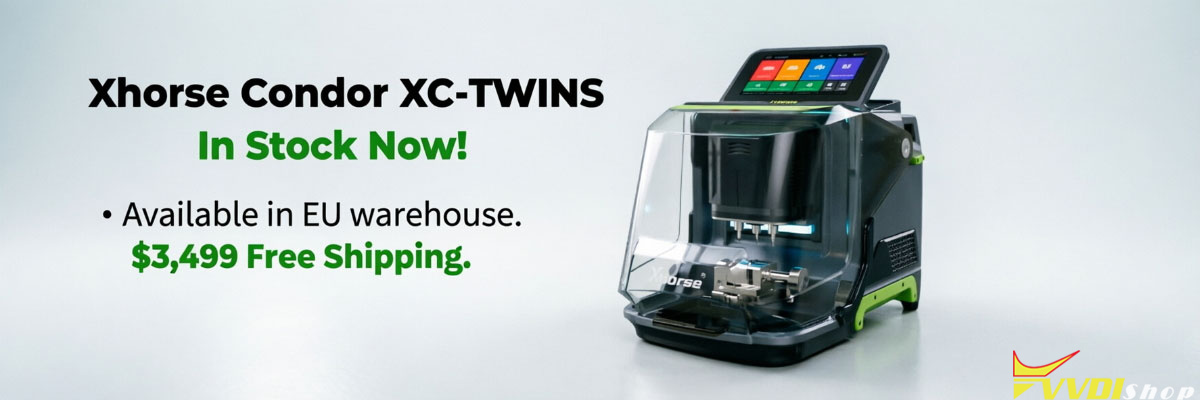

The XHORSE CONDOR XC-TWINS is a professional automatic Key Cutting Machine for automotive and household key duplication, decoding, and cutting. This FAQ explains clamp compatibility, cutter installation, device activation, WiFi setup, and system update procedures. It is designed for locksmiths and key programming workshops to quickly solve setup issues, identify supported key types, and correctly operate the machine.
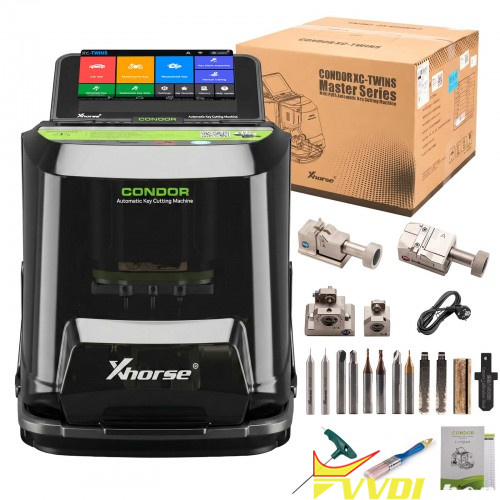
- Clamp Compatibility FAQ
Q1: What key types does the XC-TWINS M5L Clamp support?
A: The XC-TWINS M5L Clamp supports both external and internal track keys.
Side A supports 4-track external and 2-track external keys.
Side B supports 4-track internal and channel track keys.
Q2: What key types are supported by the XC-TWINS M6 Clamp?
A: The M6 Clamp is designed for household dimple keys.
It supports single-row and double-row smiley dimple key structures.
Q3: What does the XC-TWINS M3 Clamp support?
A: The M3 Clamp supports automotive key profiles.
It is compatible with Ford FO21 (Side 3-A) and Citroën SX9 (Side 3-B).
It also includes Mondeo rod clamp and Citroën cross clamp configurations.
Q4: What is the XC-TWINS M4 Clamp used for?
A: The M4 Clamp is an optional clamp for residential key blanks.
It is used for specific household key cutting scenarios requiring additional fixture support.
- Cutter & Clamp Installation FAQ
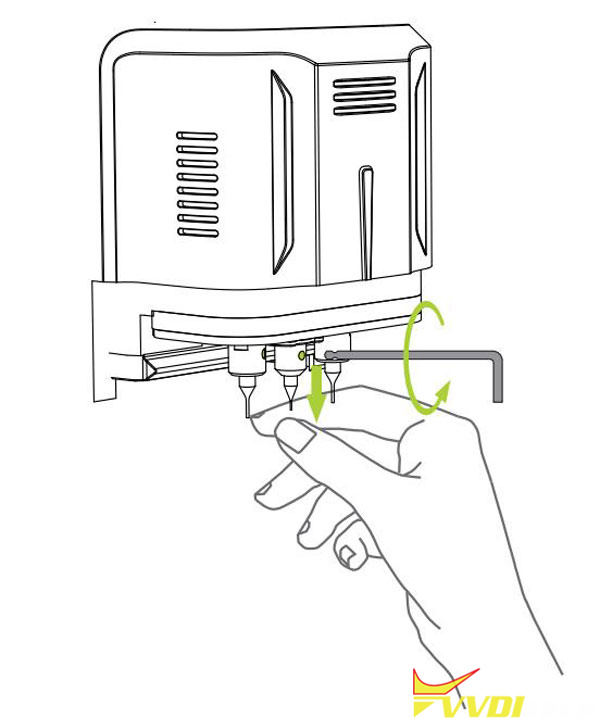
Q5: How do you install a cutter on the XC-TWINS?
A: Insert the cutter into the mounting hole until it reaches the top limit.
Then rotate the wrench clockwise to lock it in place securely.
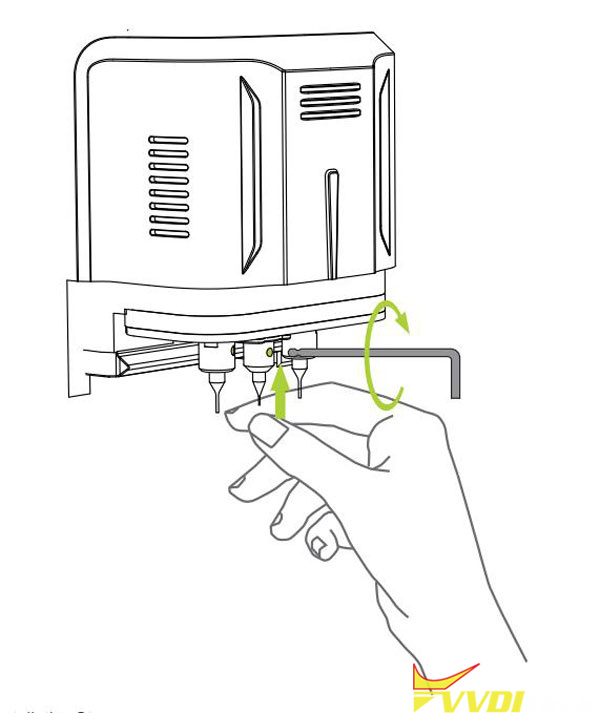
Q6: How do you remove a cutter safely?
A: Hold the cutter lightly to stabilize it.
Rotate the wrench counterclockwise to loosen it, then remove it when fully released.
Q7: How do you install a clamp on the XC-TWINS machine?
A: Loosen the base using the ratchet knob counterclockwise.
Slide the clamp in from the right side until it reaches the limit position.
Then tighten the knob clockwise to secure it.
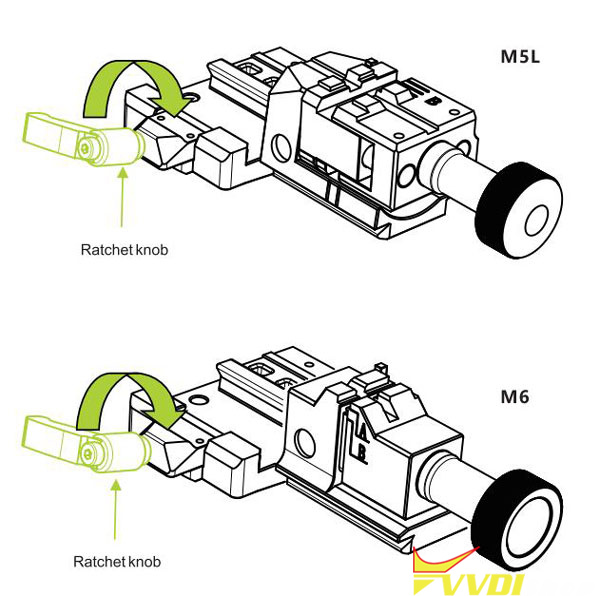
Q8: How do you switch the M5L Clamp from Side A to Side B?
A: Loosen the tightening knob first.
Move the sliding block to the right limit position.
Flip the sliding block clockwise to turn the clamp from side A to side B.
Then lock it again by tightening the knob clockwise.
- Activation & Registration FAQ
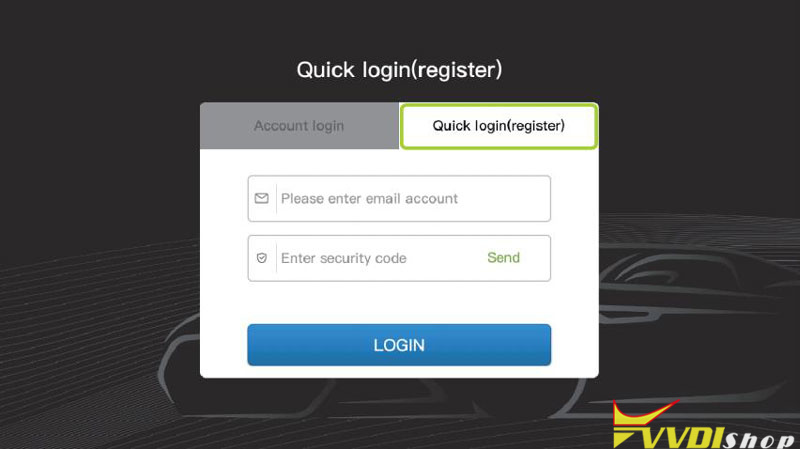
Q9: What is the XC-TWINS first-time activation process?
A: Power on the machine and select “START TO SET”.
Connect to WiFi and confirm network access.
Log in or register a new account using email.
Bind the device SN using the verification code.
Once activated, select “START TO USE”.
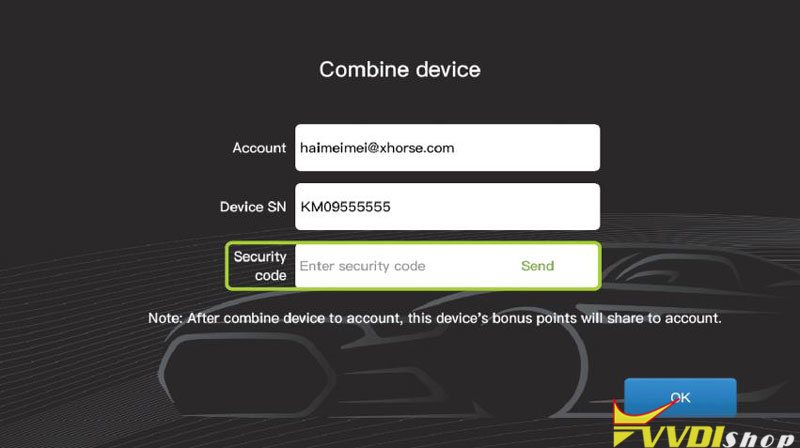
Q10: What happens after binding XC-TWINS to an account?
A: After binding, all bonus points are automatically assigned to the linked account.
The device becomes fully associated with that user profile.
- System Update FAQ
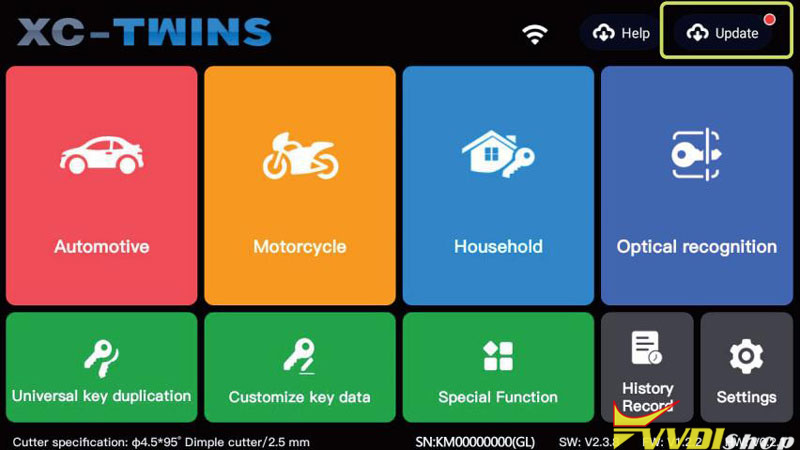
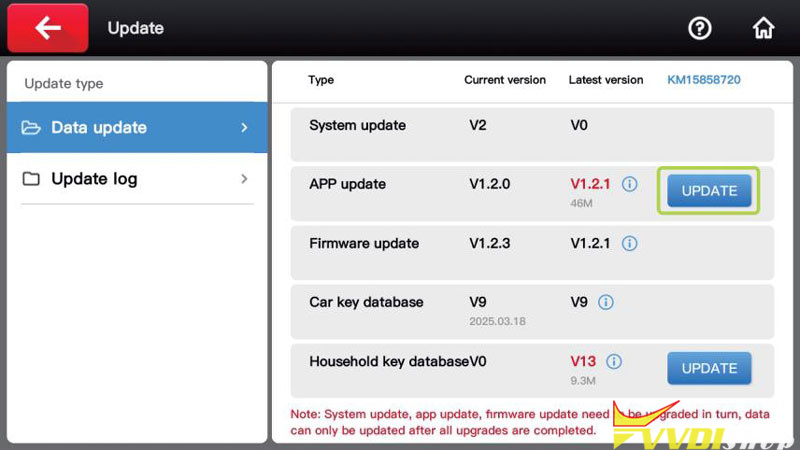
Q11: What is the correct XC-TWINS update sequence?
A: The update order must be strictly followed:
System update → App update → Firmware update.
Only after completing all three can database updates be installed.
Q12: When should database updates be performed?
A: Database updates (car keys or household keys) must only be done after system, app, and firmware updates are fully completed.
Data can only be updated after all updates (system, app, and firmware) are completely finished.
- Who Should Use XC-TWINS?
The CONDOR XC-TWINS is designed for professional locksmiths, automotive key programmers, and workshop technicians.
It is ideal for users who need:
- Automotive key cutting (FO21, SX9, laser keys)
- Household dimple key duplication
- Multi-clamp compatibility workflows
- Stable WiFi activation and OTA updates
- Typical Use Scenarios
- Automotive key cutting and duplication
- Workshop-level key programming operations
- Residential key cutting services
- Clamp-based precision key milling workflows
- Device setup, activation, and firmware maintenance