


Mastering Honda motorcycle key programming is straightforward with the Xhorse VVDI Key Tool Plus and the XDKP92GL Motorcycle Adapter. This guide breaks down the essential steps for both Key Adding (when you have a working remote) and All Keys Lost (requiring SCU password extraction) to ensure a professional and efficient workflow.
Preparation & Tools
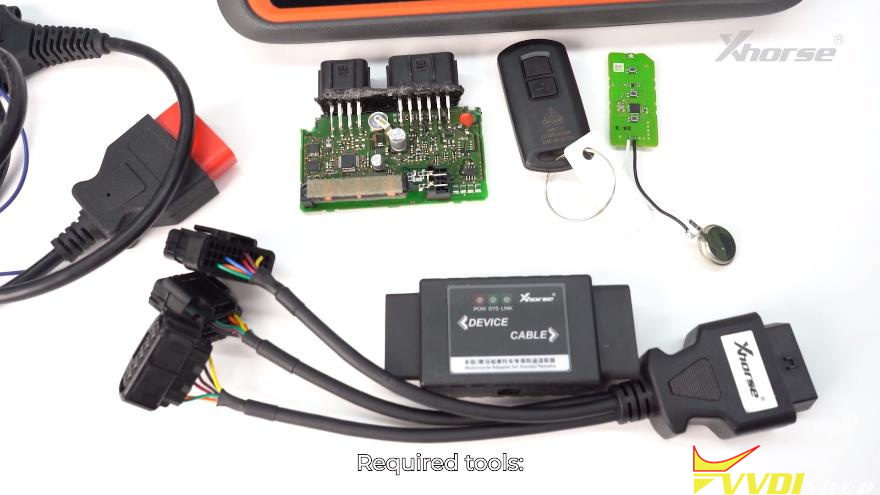
- Xhorse VVDI Key Tool Plus Tablet
- Xhorse Motorcycle Adapter& Honda-specific cables
- New Xhorse remote to be programmed
- 12V Power Supply
Key Adding (Working Key Available)
Step1: Remote Generation
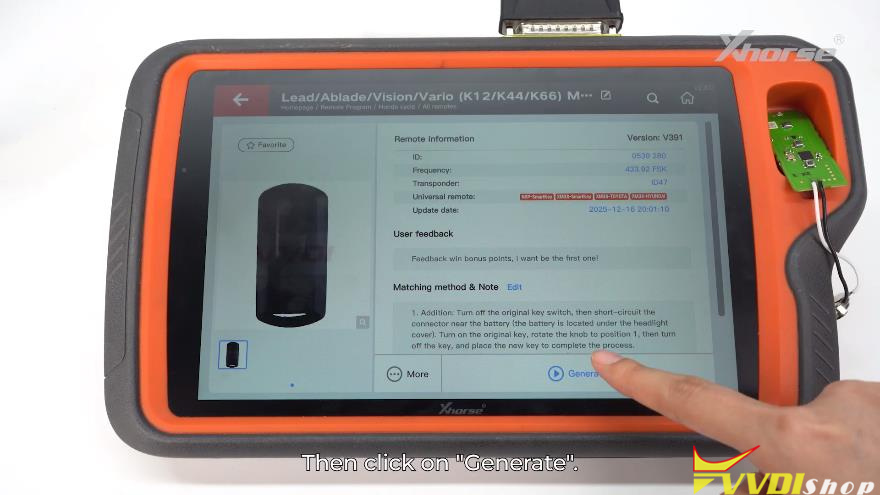
- Place the new remote in the Key Tool Plus induction coil.
- Go to Remote Program, select your Honda model, and click Generate.
Step2: Wiring & Detection
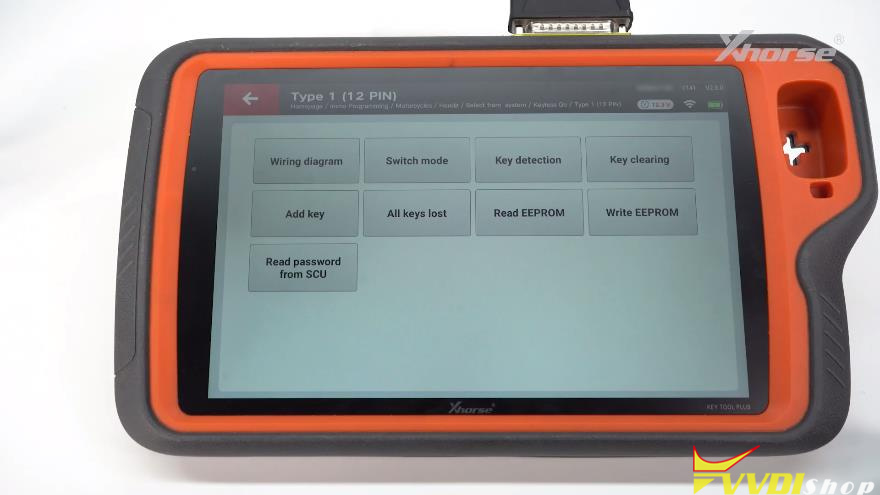
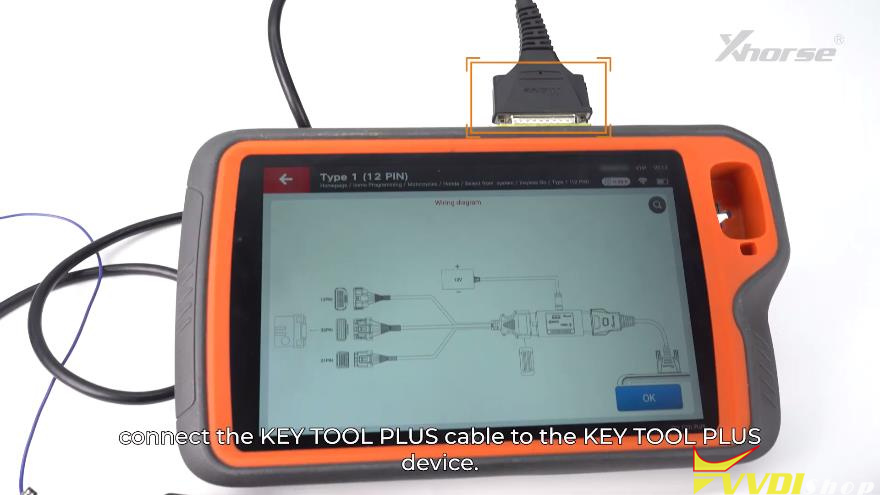
Immo programming >> Motorcycle >> Honda >> Select from system >> Keyless Go >> Type 1(12 PIN) >> Start programming >> Wiring diagram
- Find the SCU module (usually located under the seat or fuel tank).
- Connect the SCU to the XDKP92GL Adapter using the matching pin connector (e.g., 12-pin or 21-pin).
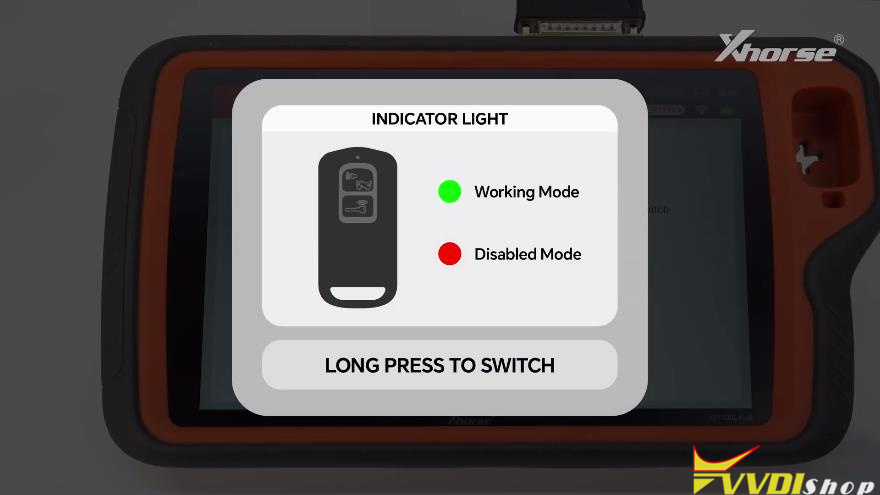
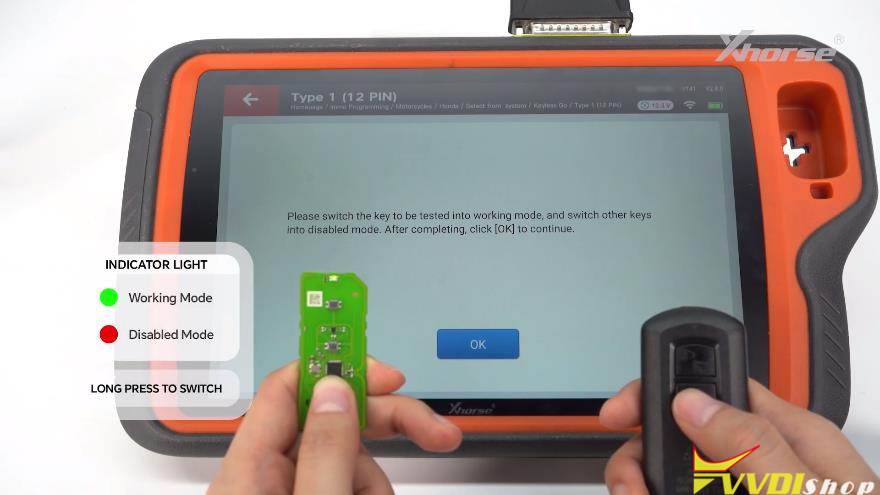
- Power the setup with 12V and ensure the adapter light is Green (Working Mode).
- Use Key Detection to confirm the new remote is “Unmatched” before starting.
Step 3: Programming
- Select Add Key and follow the on-screen prompts.
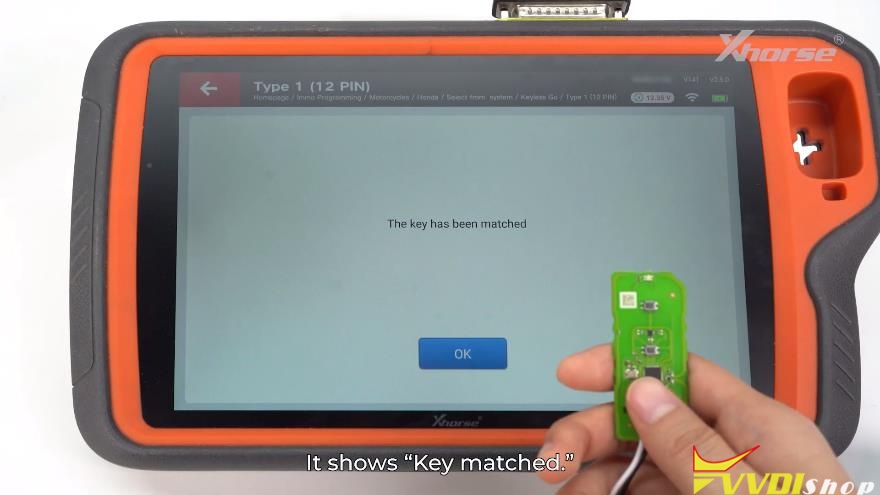
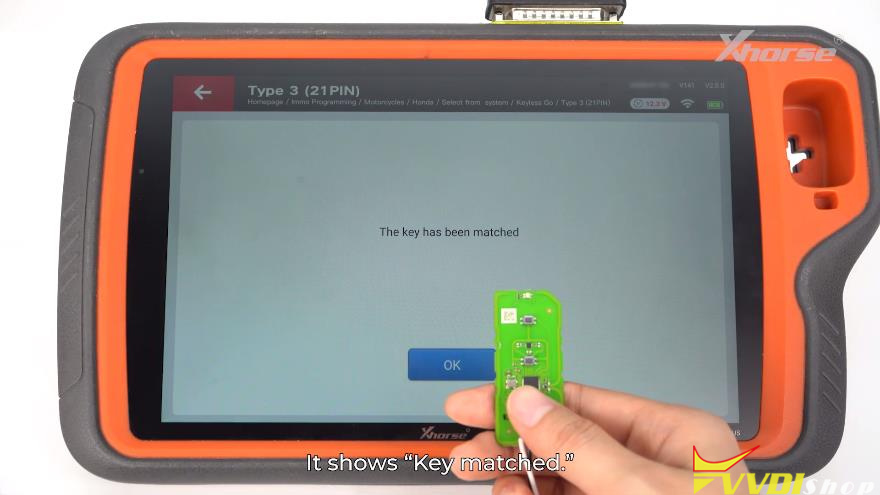
- Verify success by running Key Detection again; it should now show Matched.
All Keys Lost (No Working Key)
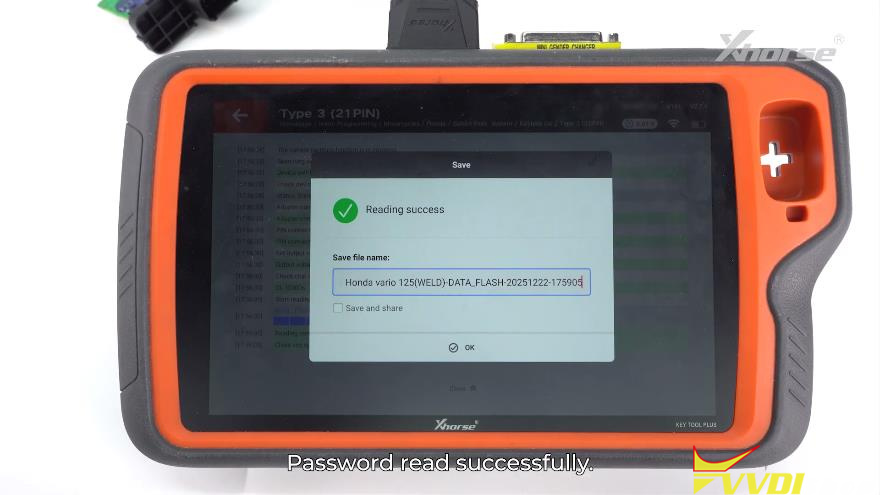
Step 1: Read PIN Code (Soldering Required)
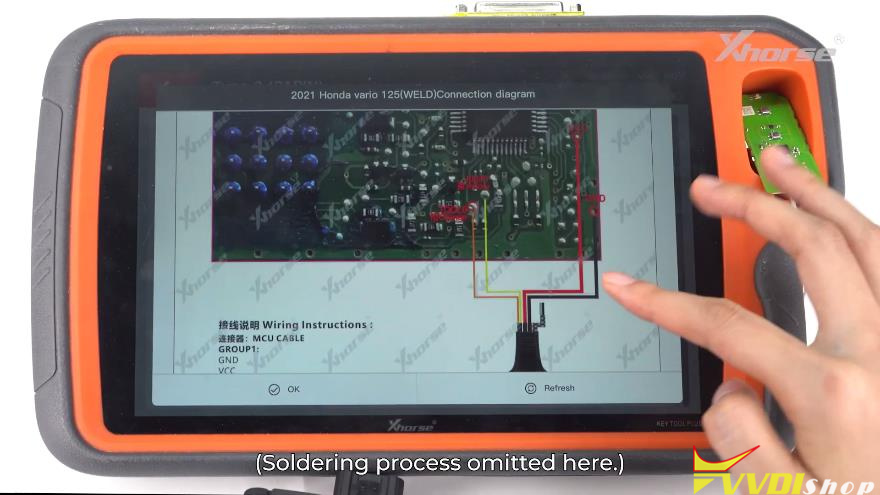
- Open the SCU module and refer to the Soldering Diagram in the “Immo Programming”menu.
- Solder the MCU cable to the points indicated on the board.
- Select “Read Password from SCU”to extract and save the unique PIN.
Step 2: Wiring & Mode Switch
- Remove the soldered wires and reconnect the SCU using the standard adapter cable (same as the Key Adding setup).
- Ensure the adapter indicator light is Green.
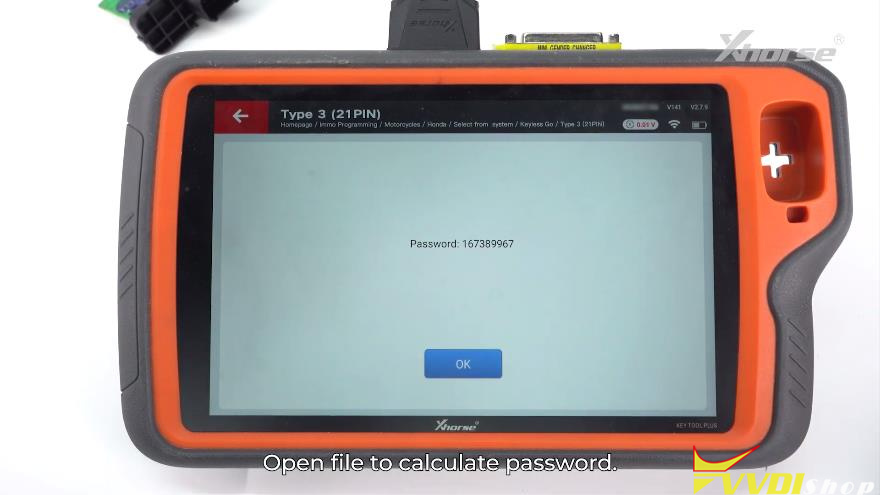
Step 3: PIN Programming
- Generate a new remote as described in the previous section.
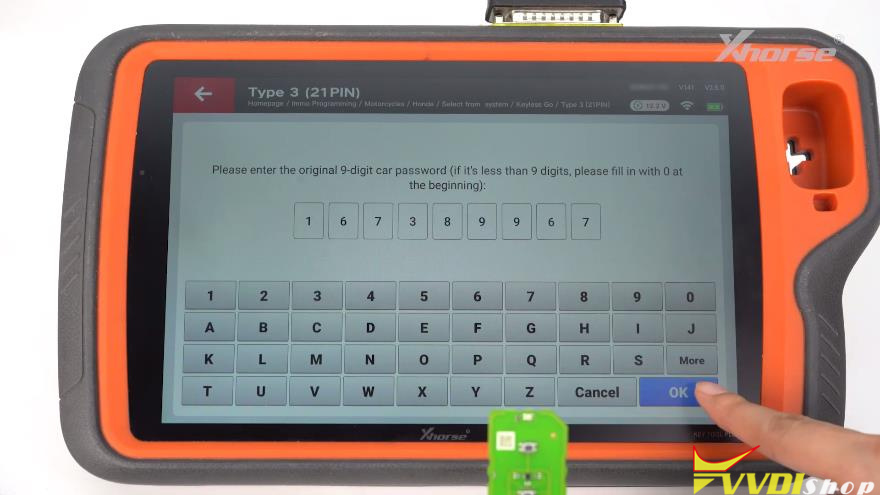
- Select All Keys Lost and manually enter the 9-digit PIN you read from the SCU.
- Once programming is successful, confirm the status with Key Detection.
Pro Tips
- Adapter Modes: A short press checks the status; a long press switches between Green (Working) and Red (Disabled).
- SCU Identification: Select the programming type based on the physical pin count of the larger connector on your SCU module.