


How to measure the new version battery for Xhorse Dolphin XP005/XP005L key cutting machine?
Purpose:
Check if the new version battery (XP05BAGL) is in good or bad condition.
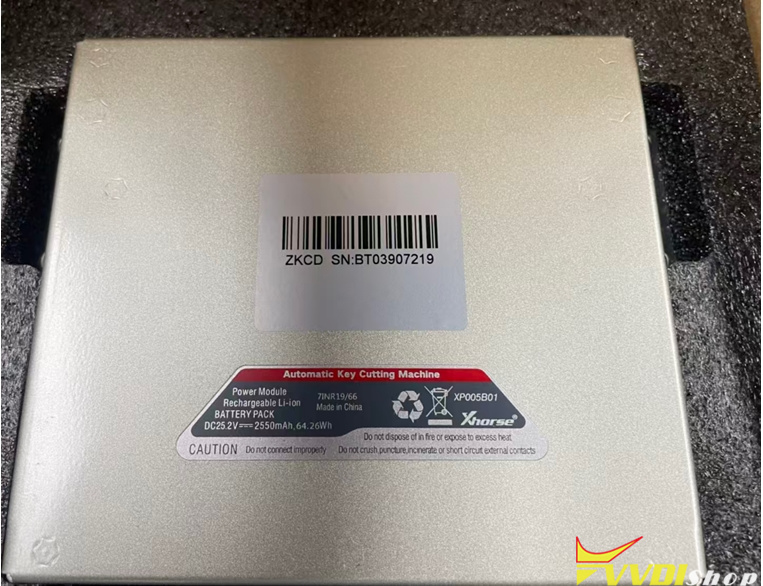
Procedure:
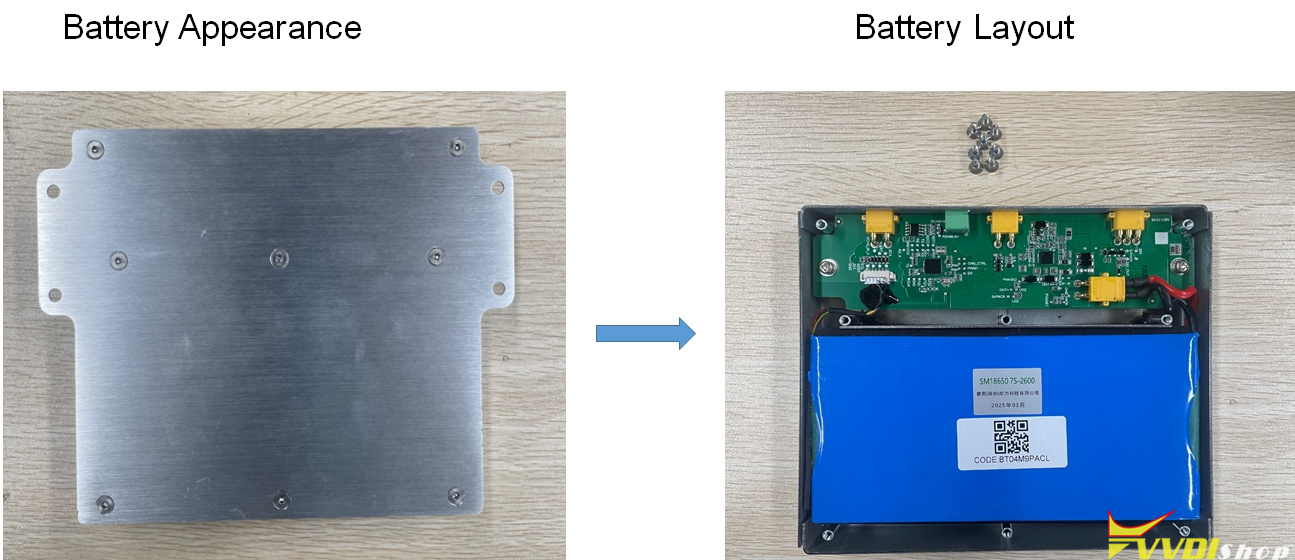
Here is the battery appearance.
Unscrew the 8 screws to check battery layout.
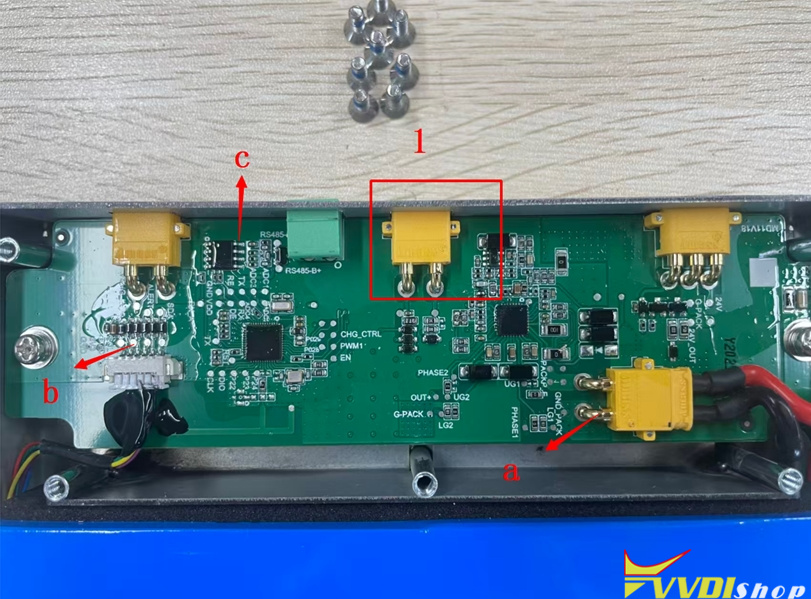
Detailed Annotation
1 Indicates “PWR ON“, which is the power switch.
a Indicates GND
b Indicates VCC 3V
c Indicates VCC 5V
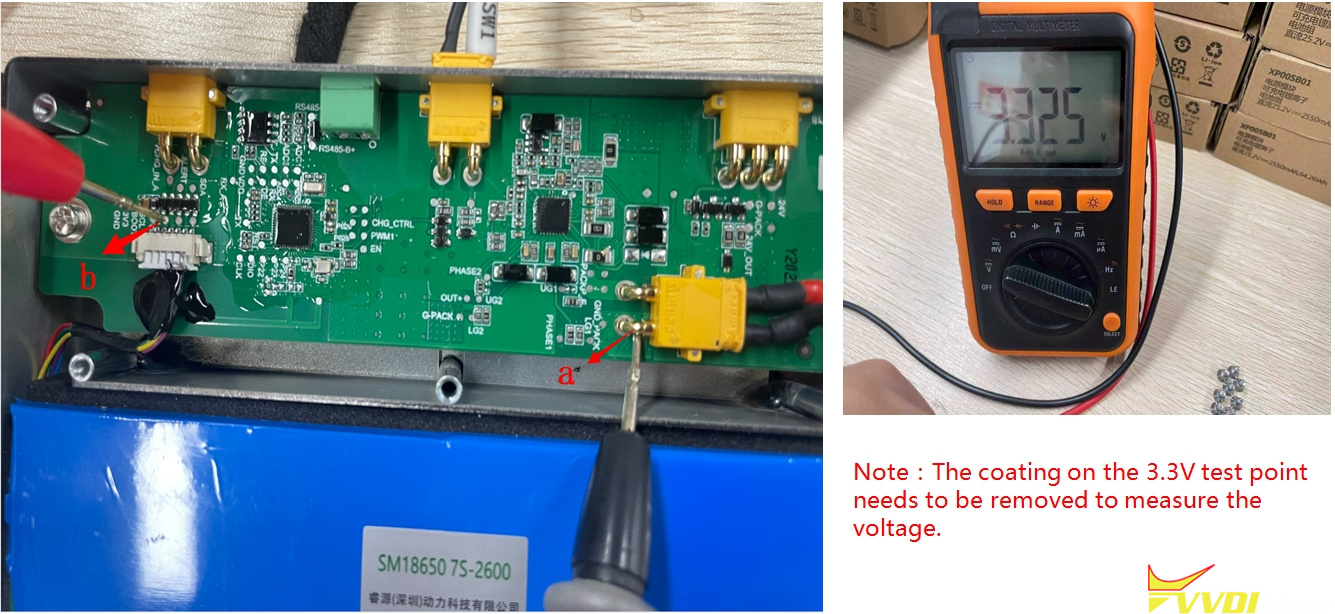
1. Method for measuring the battery cell
If the measured voltage is 3.3 V according to the method shown in the figure, it indicates that the battery cell is in good condition.
Note: The coating on the 3.3V test point needs to be removed to measure the voltage.
2. Measure BMS
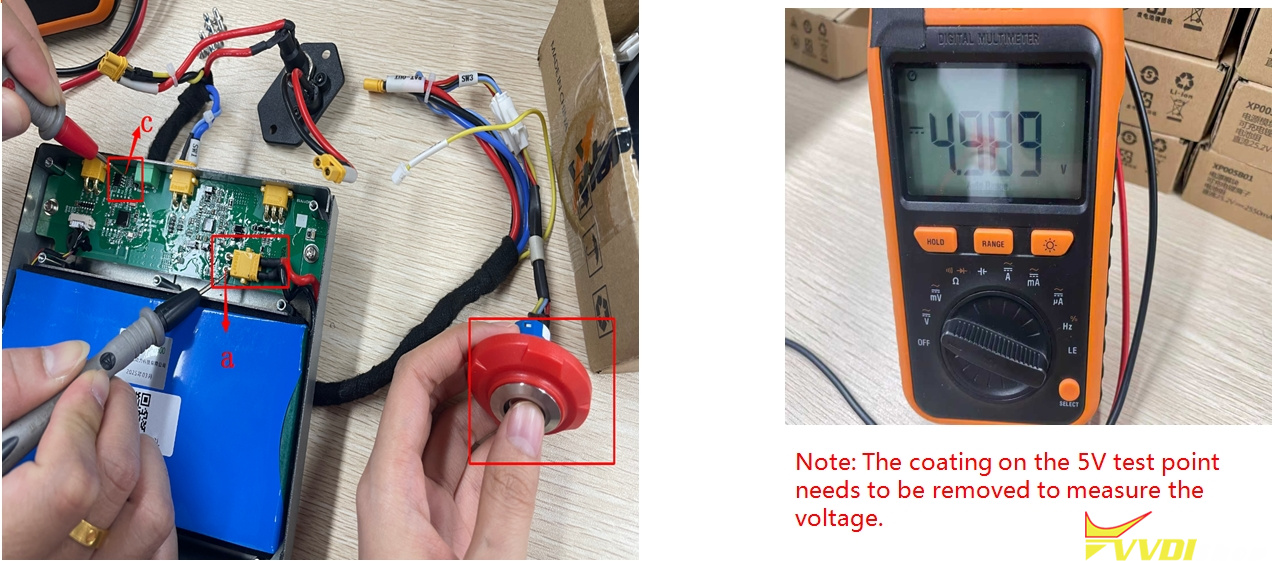
2.1 Method A for measuring BMS
If the measured voltage value is 5V, it indicates that the BMS is in good condition.
Note: The power switch needs to be turned on.
This method is based on the back cover being removed.
Note: The coating on the 5V test point needs to be removed to measure the voltage.
2.1 Method B for measuring BMS
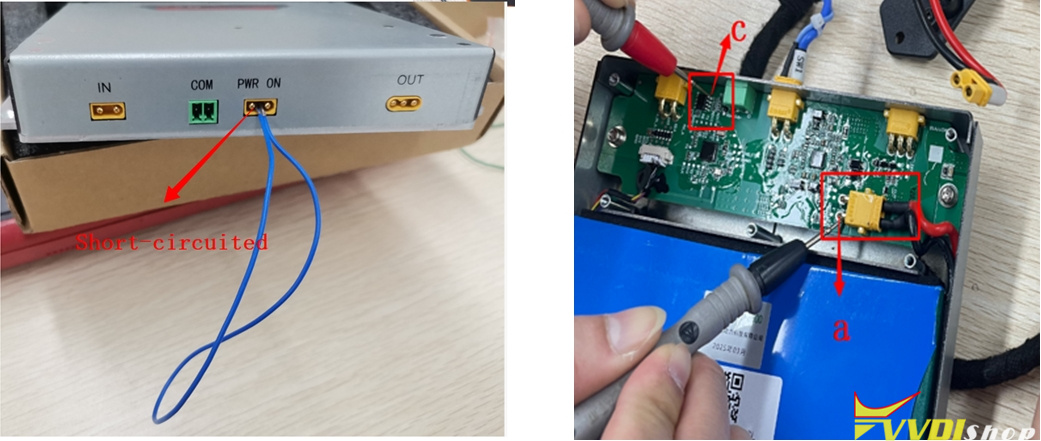
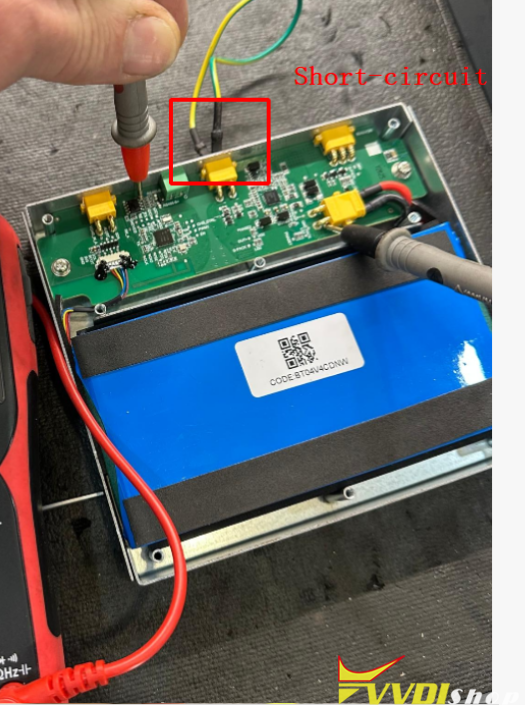
If the back cover is not removed, the PWR ON should be short-circuited as shown in the diagram and then test a & c as last page.
If the measured voltage value is 5V, it indicates that the BMS is in good condition.
Read also:
How to Test Xhorse Dolphin XP005 Battery (Check Battery Good or Not)