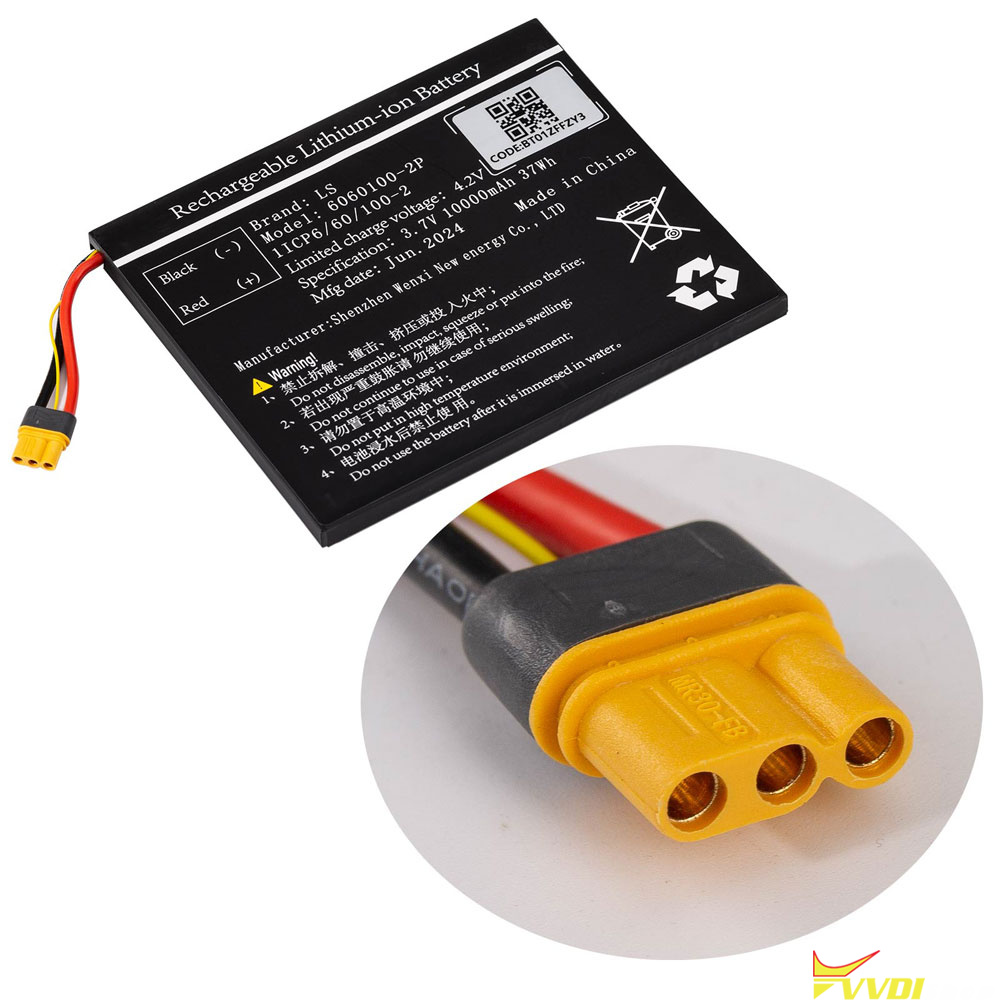



Xhorse VVDI Key Tool Plus full and Key Tool Plus VAG version battery replacement steps are as follows:
1: Take a picture of the label on the new battery and keep it, install the new battery into the device, then update the APP software version to the latest.
2: Enter KEY TOOL PLUS Main interface -> Setting-> Battery Initialization, enter the code on the label of the battery.
3: Follow the prompts to update, when the pop-up box prompts the battery initialization success, that means the replacement is completed.
Attention: If you have any questions, you can contact vvdishop.com or APP online customer service.
The code can be found in the new battery label. Order Replacement battery for key tool plus